Q&A – Troubleshooting
Troubleshooting Errors
What shall I do if I get an error in a showcase, a filter or a dashlet that I have previously created and was in working condition?
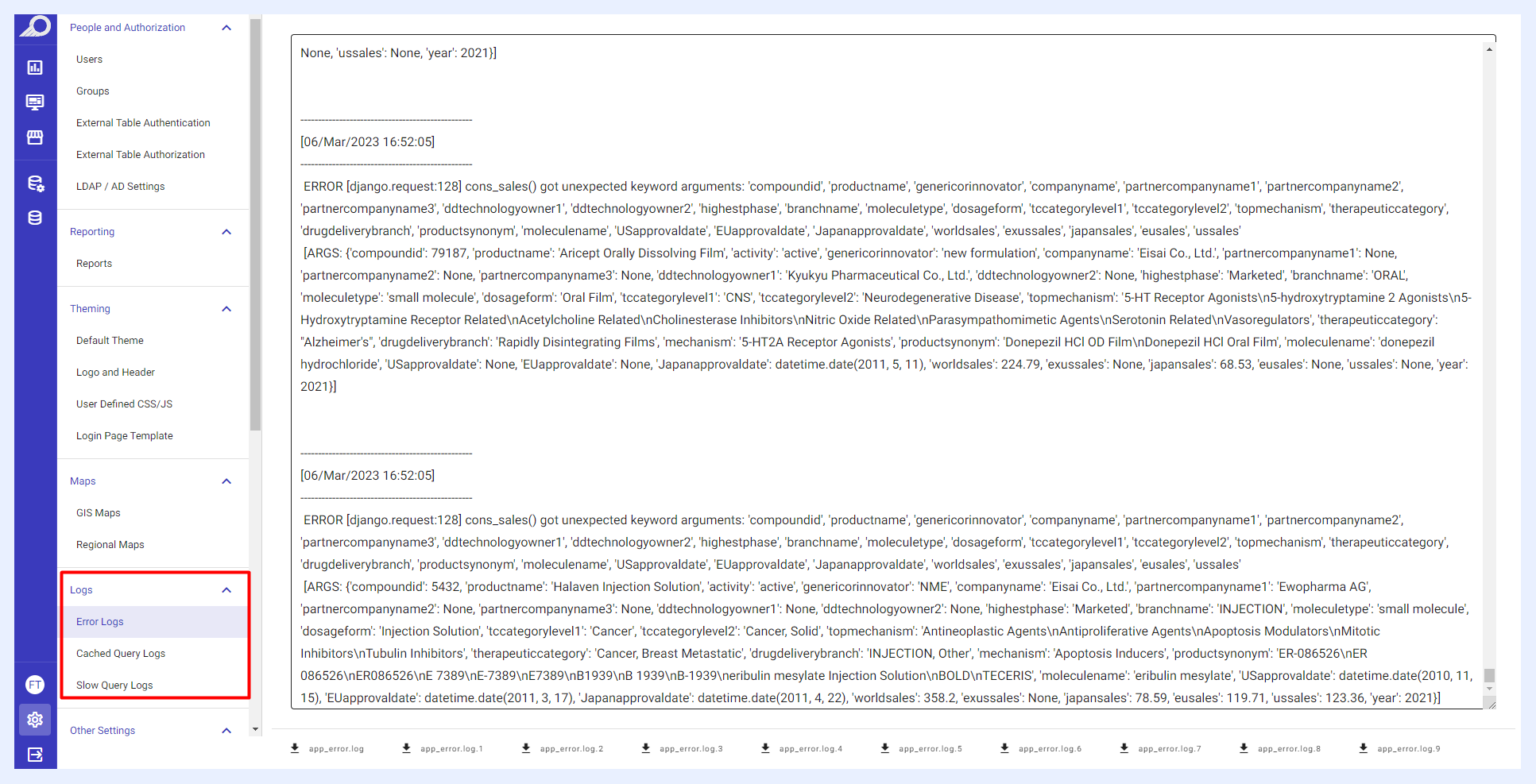
The first place you need to check is the logs which are accessible by navigating to the “Administration” option > “Logs” section. You should proceed by examining the logs and finding where the error is.
Fixing Merged Filters
The merged filters do not work or appear faulty on my dashboard, how can I solve this?
First, check if the merged filters are all cached and if the corresponding field at the source database has data. If the filters are not cached, you may cache them in the relevant data view(s) by checking the “Enable caching” check box.
Refresh the filter caches in the data views of the merged filters, then refresh the cache in the relevant dashboard/showcase.
Check the fields and make sure that the relevant ones are not deleted in the tables containing the nodes of the combined filters.
If you are unable to resolve the issue with these steps above, contact our support team at support@turboard.com.
Refresh & Update Issues
The changes that I made in my dashlets are not reflected in the showcase, what shall I do?
Check if a cache trigger is activated for the relevant data source. If there is no cache trigger in the data source:
Refresh the cache in the relevant dashlet. Refresh the cache in the showcase as below.
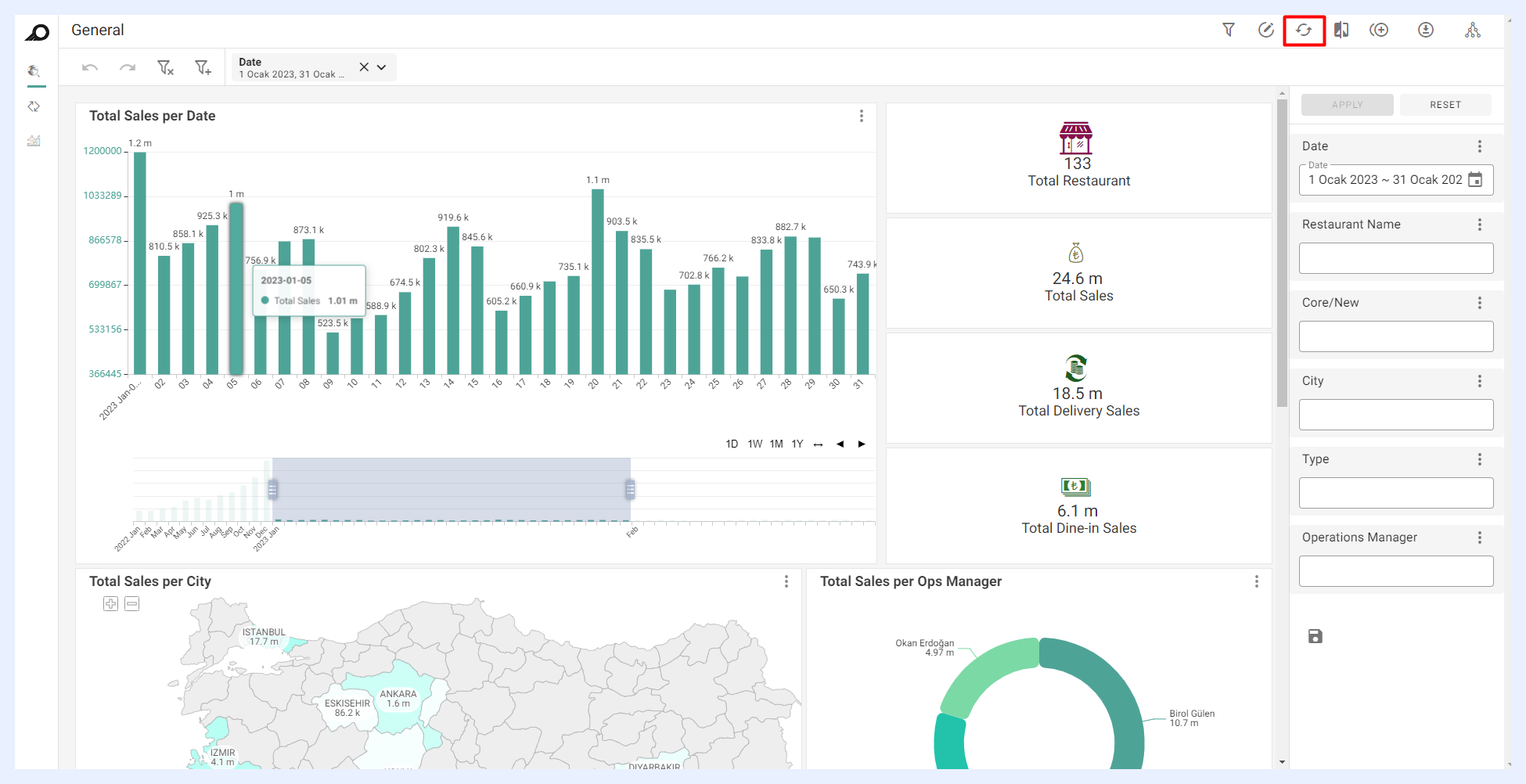
If the changes are still not reflected in the window display, try again by clearing the cache in the browser that you are using (e.g. Google Chrome).
Column Filtering in PTs
When I use column filtering in a datacell based pivot table, the filtering results sometimes do not appear and I get a “No Data to Display” message on my screen. Why is that?
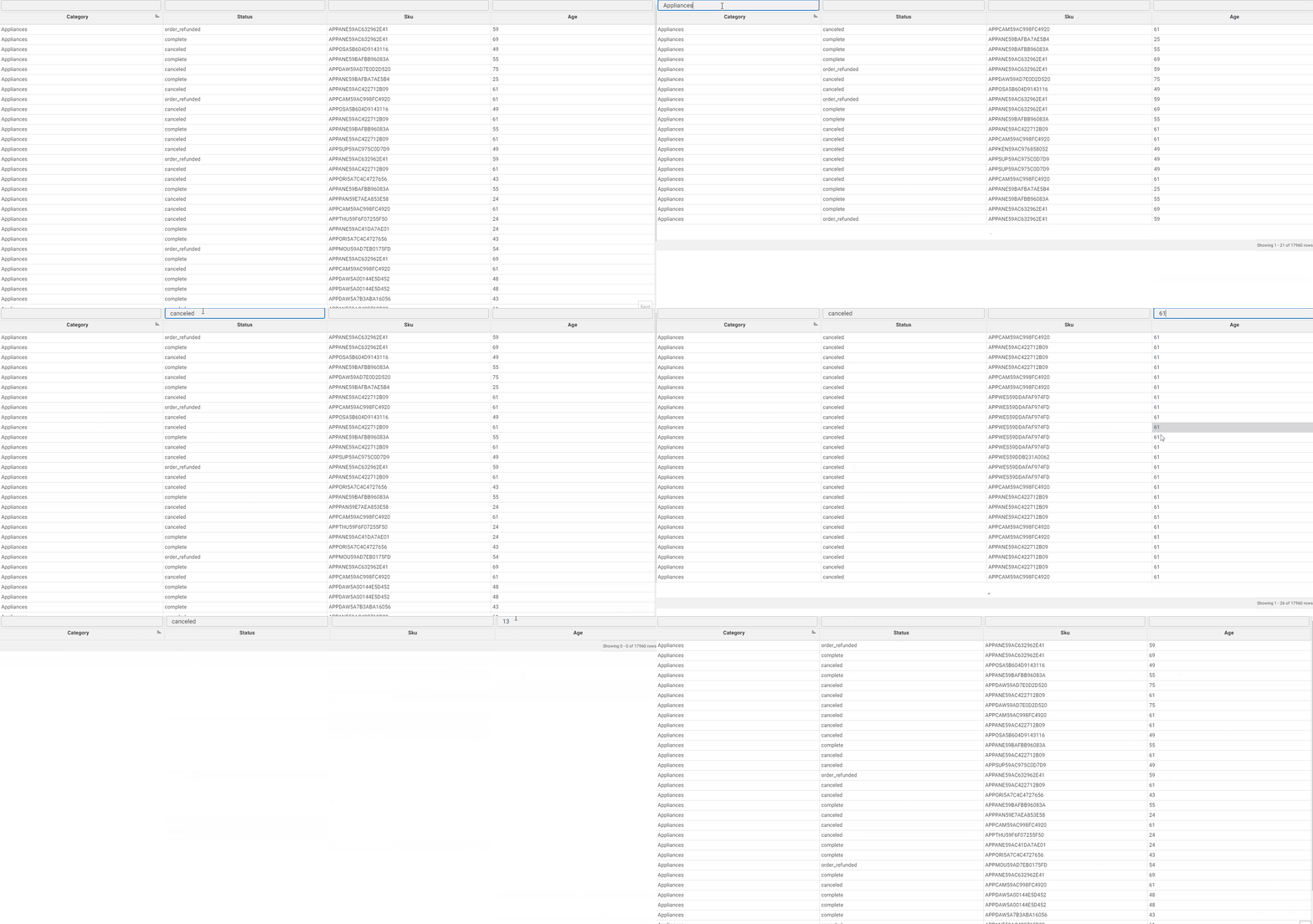
Column filtering generally filters rows according to both partial and complete entry of the data cell values in the related column filters. However, for partial entry, it only works and fetches results for data cells of type “VARCHAR”. While for data cells of type “INTEGER”, you have to fill the complete value inside the filter field. Otherwise, it will not filter any rows and will give you a “No Data to Display” message. See how it works below.
Troubleshooting Slow Performance
TURBOARD seems to be working slow. My dashboards and showcases take a long time to fetch data from my DB. What shall I do?
If you are experiencing slow query response times in TURBOARD, it may be helpful to check TURBOARD Logs (Slow Query Log and Cached Query Log) for any problematic queries.
If the problematic row was not found in the logs, you may contact our support team at support@turboard.com to help you identify any problematic queries that may exist in your database.
Once you identify the problematic query or queries that are causing the slowness, it can help you identify the specific database tables or operations that are causing the performance bottleneck and take steps to optimize them.
To avoid slow query response times when creating or configuring dashboards in TURBOARD, it is important to take some precautions as below:
Interactive filters should be used with care. Adding all filters by default can create interactivity between filters that are not related to each other. To prevent this, filters should only interact with the respective filters they are related to.
To avoid creating a waiting situation and slow loading of dashlets, it is recommended to use only one measure in each Info Cell. When multiple measures are used, synchronous querying is performed, which can cause the dashlet to load late. Hence, for databases that are not optimized for high-frequency querying, it is better to have Info Cells with single measures.
Expressions that can be converted to calculated measures should be converted. Using measures as expressions can cause additional database queries and slow down the dashboard's performance. Therefore, keep only those expressions that cannot be converted to calculated measures. Calculated measures work on query results, so it is recommended to use them as much as possible to improve dashboards’ performance.