Advices for High Performance
Disabling Unnecessary Filters
Turn off the filter feature for nodes that will not be used as filters when creating a view.
By default, all nodes, except the primary key, are set as filters. Disabling the filter feature for nodes with a particularly high cardinality (nodes in a dataset that have a large number of distinct values relative to the total number of records in the dataset) allows the view to be created with the cache times of the filters reduced.
Using Restrictions Instead of Filters
Restricting the view instead of always applying filters allows queries to return faster.
It also helps you to reduce repetitive actions, especially when you are trying to eliminate dirty data, such as always starting time from a certain date, not showing minus values, and so on.
Applying Horizontal Leveling For Multiple Pivots
Use horizontal leveling on dashboards and showcases with multiple pivots.
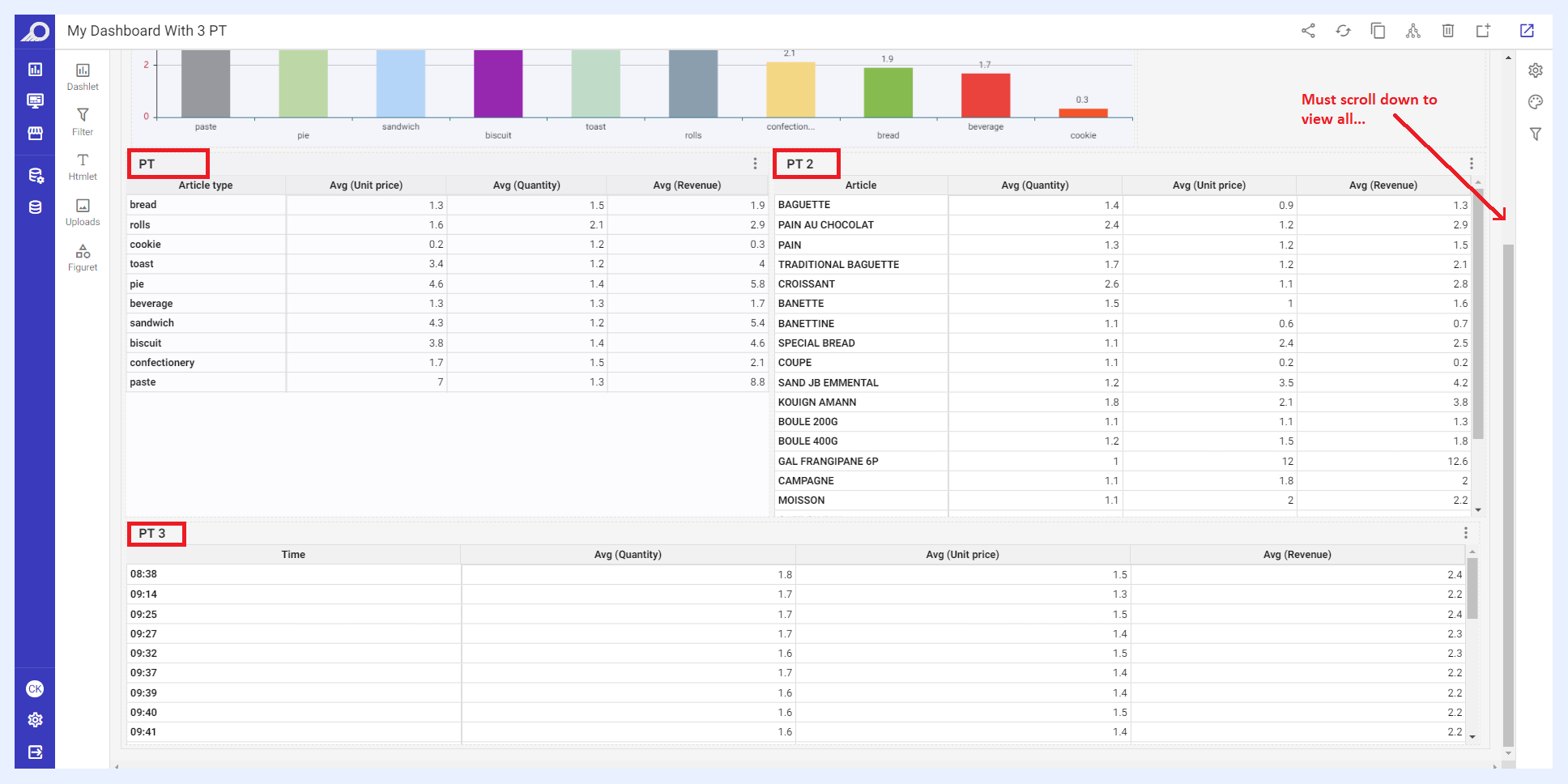
A Sample Dashboard with Multiple Pivot Tables before Applying Horizontal Leveling
For visualizations with multiple pivot tables, placing the pivot table on the tabs with horizontal leveling will significantly reduce the loading time of the visualization.
Additionally, horizontal leveling for multiple pivots has an additional benefit of allowing the dashboard to fit within the screen without requiring the user to scroll.
Placing several pivot tables in one view can make it harder for users to process and analyze the information. When there are too many pivots in one view, the visual clutter can overwhelm the user, causing cognitive overload and making it difficult to find the information they need. It can also make the dashboard slower to load and navigate, which can further increase the cognitive load and reduce the user's ability to make sense of the data.
By applying horizontal leveling and tabbed structure for multiple pivots, users can view the data faster and in a way that is easier to process and understand, without overwhelming them with too much information at once.
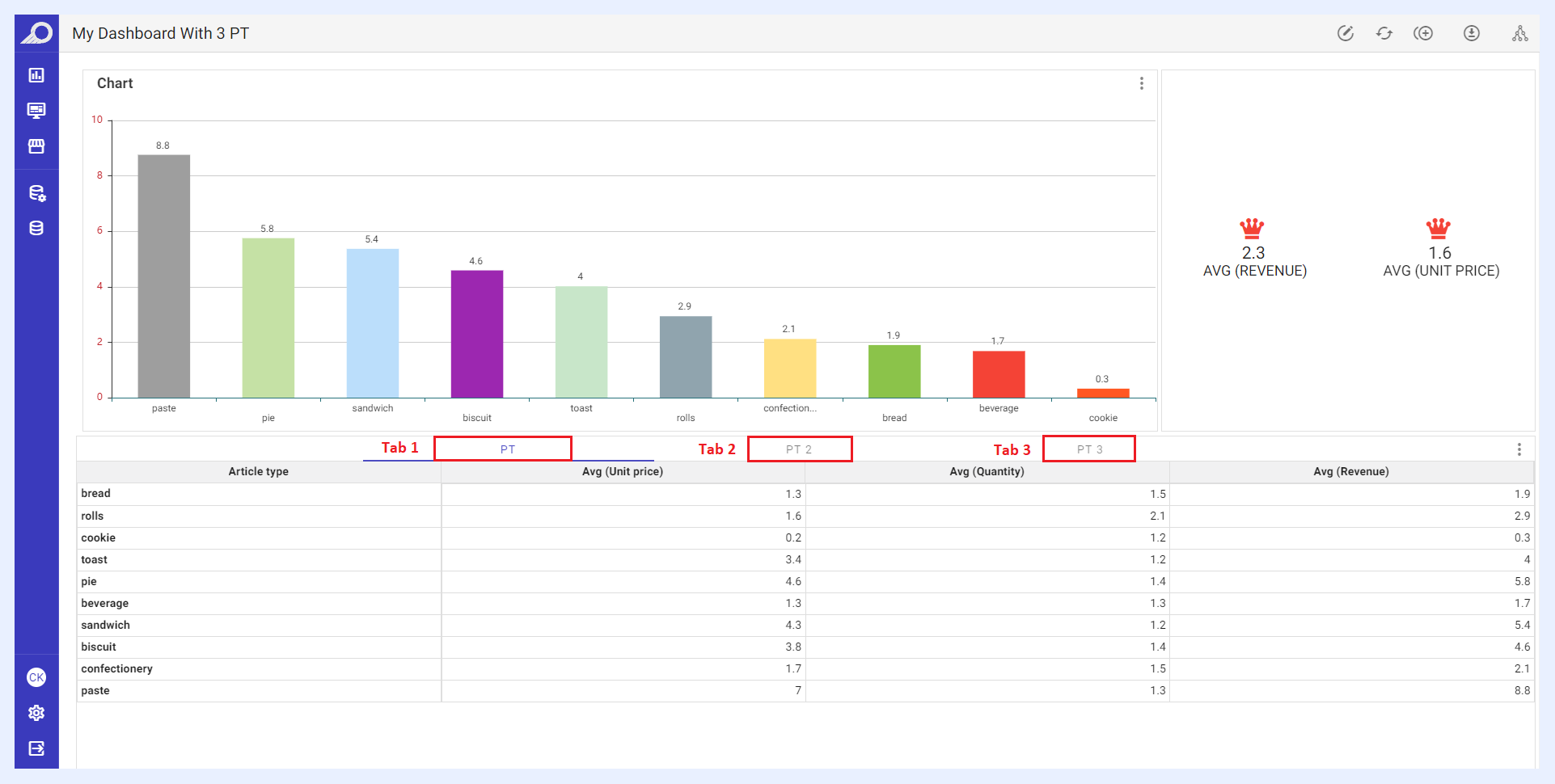
Horizontal Leveling Applied on a Sample Dashboard with Multiple Pivot Tables
You can apply visual differences with CSS in their visual names to make the tab titles more obvious in the pivot tables that you place in the tabbed structure.
Using Calculated Measures Instead of Expressions
Use pandas functions in the calculated measure and make advanced calculations.
While expressions send a query to the related data source, calculated measures act on the result printed on the screen as a result of the query. The performance of the calculated measure is much higher because it does not query the database, but only acts on the fetched result.
Assigning Cache Triggers Whenever Possible
Choose a cache trigger field for every possible table as it will benefit performance.
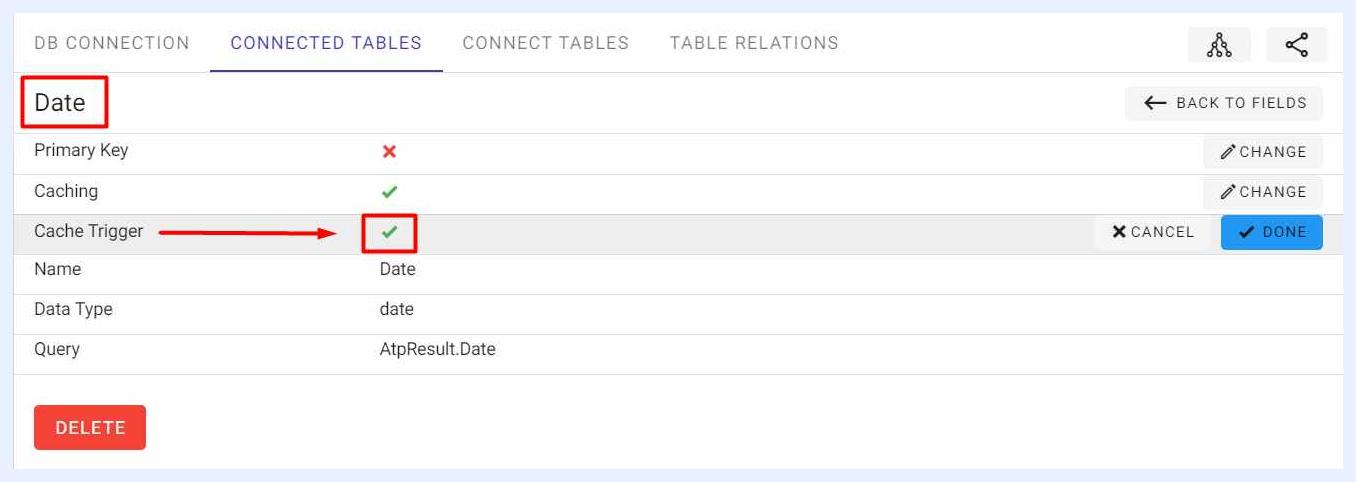
When you assign a trigger field (for fields of data type “DateTime” only), the trigger mechanism is triggered only when the showcase is entered. It also refreshes only the viewport table, not the entire system's cache, thus fetching the data much faster. In other words, it eliminates database hits for unchanged results, optimizes the use of RAM and disk IO, and fetches faster visualizations for consecutive accesses.
If “Cache” option is activated, the dashlets are cached when first opened, then each time they are opened, the last update time of the trigger field and the last cache time are checked, and the system decides accordingly whether to fetch the result from the database or the cache.
Optimizing Your Database
Database optimization is an important aspect of maintaining high performance for any BI platform that connects to it. To optimize your database and help ensure that TURBOARD is running at peak performance, we recommend the following actions:
Consider adding indexes to columns that are frequently used in queries (dimensions) or where data is searched (filters).
Use partitioning to divide large tables into smaller, more manageable pieces. This helps to improve query performance by reducing the amount of data that needs to be scanned for each query.
Remove unused objects like tables, indexes, or partitions that are no longer needed can help to improve database performance.